
PlayAmo Verification
Learn how PlayAmo verification works for Australian players: documents, step-by-step upload, fixes for rejected files, common myths and withdrawal limits.
- Currency: AUD
- Min deposit: A$10
New players
Welcome Package
1st deposit 100% up to
A$500
+2nd deposit 50% to A$1,000
What PlayAmo verification is
PlayAmo verification is a one-off identity check that confirms who you are before cash leaves your account. You upload clear photos of your documents, wait for the review, then withdraw as normal. If a file is rejected, retake it in good light, send it again and ask live chat. Most delays come down to photo quality.
Verification, often called KYC (know your customer), is the step where the casino confirms that you are a real adult player and that the account belongs to you. It is a routine part of online casinos worldwide, and PlayAmo, which has been running since 2016, follows the same logic. The goal is simple: protect your balance, your winnings and your personal details from anyone who is not you.
Casinos commonly raise a check around the first cash-out, and support can also ask for documents at other moments, for example when payment details or personal information change. Doing it early takes the stress out of your first win, because the cashier is ready when you are. PlayAmo accepts A$ accounts, so there is no currency conversion to think about when you send in documents or request a payout. Support can tell you exactly which items apply to your account.
Photo ID
A government-issued ID showing your full name, date of birth and a clear photo. All four edges should be visible and the text easy to read.
Proof of address
A recent document with your name and home address, such as a utility bill or bank statement, matching the details on your profile.
Payment method
Proof that the card or wallet you use is yours. Cover the middle digits of a card number before you upload or share an image.
Age 18+
PlayAmo accepts adult players only, so your date of birth in the profile must match your ID exactly, with no typos.
What to do if verification did not work
A rejected or stuck check feels worse than it is. In nearly every case the fix is a better file or a clearer message to support, not a new account. Work through the steps below in order before you contact anyone, so that when you do, you can describe the problem in a sentence and get a faster answer.
- Read the message
Open the notice in your account or inbox. It normally names the document and the reason, such as unreadable text or a cropped edge.
- Check the basics
Is the document in date, is the name identical to your account name, and does the date of birth match what you registered with?
- Retake the photo
Use daylight, lay the document flat on a plain surface, keep all four corners in frame and avoid glare from a phone flash.
- Upload again
Send the new file in the format the form accepts. Keep it small enough to upload on mobile data without timing out.
- Give it time
Reviews are done by people, so allow a reasonable wait before chasing and avoid sending the same file many times in a row.
- Contact live chat
If nothing changes, open live chat, quote your account name and describe exactly what you uploaded and when.
Tip
Write down the date and time of each upload. A short timeline helps support find your case faster and saves you from starting from scratch.
If the problem is a mismatch, for instance a nickname used as a first name or an old address, talk to support before changing profile details, so the account and your documents tell the same story. Never edit a document, crop out information or use somebody else's files. A plain, honest resubmission is the quickest route back to a smooth cash-out.
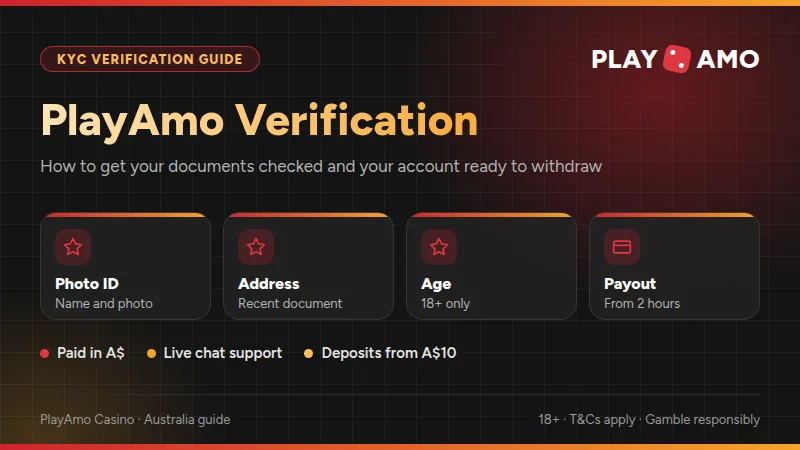
Common verification problems
Most verification trouble falls into a handful of repeat patterns. They are all easy to avoid once you know them, and none of them says anything bad about you or your account. The table below pairs each problem with the quickest fix, and the notes underneath cover the less obvious cases.
| Problem | Quick fix |
|---|---|
| Blurry photo | Retake in daylight |
| Cropped corners | Show all edges |
| Glare on card | Tilt, no flash |
| Expired document | Valid document |
| Name mismatch | Match your profile |
| Old address proof | Recent proof |
| File too large | Compress image |
| Wrong file type | Convert to JPG |
Swipe the table sideways to see every column.
These fixes cover the vast majority of rejections. For an expired document, send one that is still valid, and for an old address proof, send one issued recently. If your case does not fit any row, describe it to live chat in one or two sentences and attach a fresh screenshot of the message you received.
A status that never seems to change is the second most common worry. Check that the upload really finished: a progress bar that stalls on weak mobile coverage can leave a file half sent. Switch to Wi-Fi, upload again and wait for a confirmation screen. If you see one and still hear nothing, mention the time of the upload to support.
The third pattern is a payment mismatch. If you deposit with one card and later ask to be paid back to another method, expect questions. Keep your deposit and withdrawal route consistent where you can, and make sure any card or wallet used carries your own name. That simple habit prevents a long list of follow-up requests.
- The name on every document matches your PlayAmo profile.
- Documents are valid, in colour and show all four corners.
- Nothing is covered except the middle digits of a card number.
- Files are sharp, flat, free of glare and a sensible size.
- You are logged in and uploading inside your own account.
- You have saved a screenshot of the confirmation screen.
Step-by-step: verifying your PlayAmo account
Screenshots help more than most players expect. Capture each screen as you go: the upload page, the confirmation notice and any message from support. If a question comes up later, you can show exactly what you did and when. Before you share a screenshot with anyone, cover sensitive numbers such as the middle digits of a card.
- 1Register with real details
Use your legal name, date of birth and current address exactly as they appear on your ID, so nothing needs correcting later.
- 2Log in
Sign in and open your profile or account area, where your personal details and documents are managed.
- 3Find the verification section
Look for the documents or verification page. If you cannot see one, ask live chat where to upload.
- 4Prepare your documents
Photograph your ID first, then proof of address and, if asked, your payment method, all in good light.
- 5Upload each file
Choose the right document type for each upload and wait for the confirmation before moving to the next one.
- 6Screenshot the confirmation
Capture the confirmation screen with the date visible, so you have a record to refer back to.
- 7Wait for the review
Watch your inbox and account notices. Once approved, request your withdrawal as usual.
- Minimum age
- 18+
- Account currency
- A$ accepted
- Minimum deposit
- A$10
- Support
- Live chat and email
- Payout speed
- From 2 hours
Those basics sit behind every verification request. The deposit minimum applies from the first payment, and the payout speed quoted on the Australian page refers to how fast cash can move once everything on your account is in order, which is another good reason to finish the documents step early.
Myths and misconceptions
Verification means a problem
It is a standard step for players in general, not a warning sign. Being asked for documents says nothing bad about you or your account.
Only big winners get checked
Checks are about confirming the account owner, so they can come up at any balance. Finishing early removes the surprise.
One blurry photo ruins it
A rejected file can usually just be replaced. Retake it, upload again and carry on with the same account.
Support needs my password
Genuine support never needs your password or your full card number. Cover the middle digits and never share login details.
Crypto skips every check
Do not assume a crypto deposit avoids any check, and ask support first. Crypto deposits are also not eligible for bonuses.
If you plan to use a welcome offer, read the bonus terms before you deposit. Deposit bonuses carry a x50 wagering requirement, the maximum bet with a bonus is A$6.5, and spins are activated in the Bonuses tab. You can see how spin offers work on the PlayAmo free spins page. Clearing your documents first means your first bonus win can be cashed out without extra waiting.
Withdrawal limits and staying in control
Once your account is verified, withdrawals follow the cashier rules. PlayAmo sets caps per day, week and month, in amounts that suit most players. Larger balances are simply paid in instalments across those periods, so plan big wins with the calendar in mind.
Caps apply across all withdrawals in the period. Bank wire withdrawals start from A$500.
Verification is also a good moment to think about how you play. Set a deposit budget before you start, take breaks, and never chase losses. If gambling stops being fun, Gambling Help Online offers free support at gamblinghelponline.org.au, and BetStop at betstop.gov.au lets you register for self-exclusion. You can read more about how this site checks its facts on the Fact-Checking Process page or learn about the team on PlayAmo About Us.
- PPragmatic PlayThe Bingo Spot, Gameshow Party Jackpot Play, 3 Magic Eggs
- EEvolutionRed Baron Live, Red Baron RNG, American Roulette by Evolution
- PPlay'n GOBook of Dead, Captain Xeno's Earth Adventure, Cat Wilde and the Lost Chapter
- NNetEntBig Money Wheel, Babylon Riches, Beach Invaders
- YYggdrasil4 Fantastic Fish in Egypt, 7x7 Zeus Max, 8 Balls of Fire Blazing Bounty
- TThunderkickArcader, Bass Hunter, Beat the Beast: Cerberus Inferno
- HHabaneroFly!, 12 Zodiacs, Before Time Runs Out
- NNextGenKingdoms Edge
- BBGamingAloha King Elvis Mobile, Aztec Magic Bonanza Mobile, Aztec Magic Megaways Mobile
- EEndorphina100 Zombies, 2024 Hit Slot, 2025 Hit Slot
PlayAmo verification questions
How long does PlayAmo verification take?
Timing varies with how busy the review team is and how clear your files are. Sharp, complete documents are reviewed fastest. Allow a reasonable wait, keep an eye on your inbox and account notices, and open live chat if the status has not changed after you uploaded everything.
Which documents will I need?
Casinos typically ask for a photo ID and a recent proof of address, and sometimes proof that your payment method is yours. Support confirms the exact list for your account, so ask live chat if you are unsure and prepare clear, colour photos with all four corners visible.
Should I verify before I deposit?
The safest plan is to finish verification early, ideally before your first withdrawal request. That way a win never has to wait on paperwork. If you are unsure when your account will be asked for documents, live chat can tell you.
Why was my document rejected?
The usual causes are a blurry or cropped photo, glare, an expired document, or a name or address that does not match your profile. Read the message in your account, retake the photo in daylight and upload it again. Still stuck? Ask live chat with a screenshot of the message.
Is it safe to send my ID?
Upload files only inside your logged-in account or to support through the official chat, never through social media or messages from strangers. Cover the middle digits of a card number, and remember that real support never asks for your password.
Can I withdraw in Australian dollars?
Yes, A$ is an accepted account currency, so you can deposit, play and cash out without conversion. Withdrawals are capped at A$4,000 per day, A$16,000 per week and A$50,000 per month, with bank wire withdrawals starting from A$500.
How do I contact support about verification?
Open live chat from the site and give your account name, the document you uploaded and the date. Support also has an email address on its support page. Having a screenshot of the upload confirmation makes it easier for the team to find your case.
Keep reading
Ready to try PlayAmo in AUD?
Open an account in Australian dollars, check the welcome offer terms and start with any of 3,500+ games.
- Play in AUD
- Works in any mobile browser
- 24/7 live chat